Content Architecture: Designing an Interactive "What’s New" Wayfinding Menu for Informatica Documentation
Overview
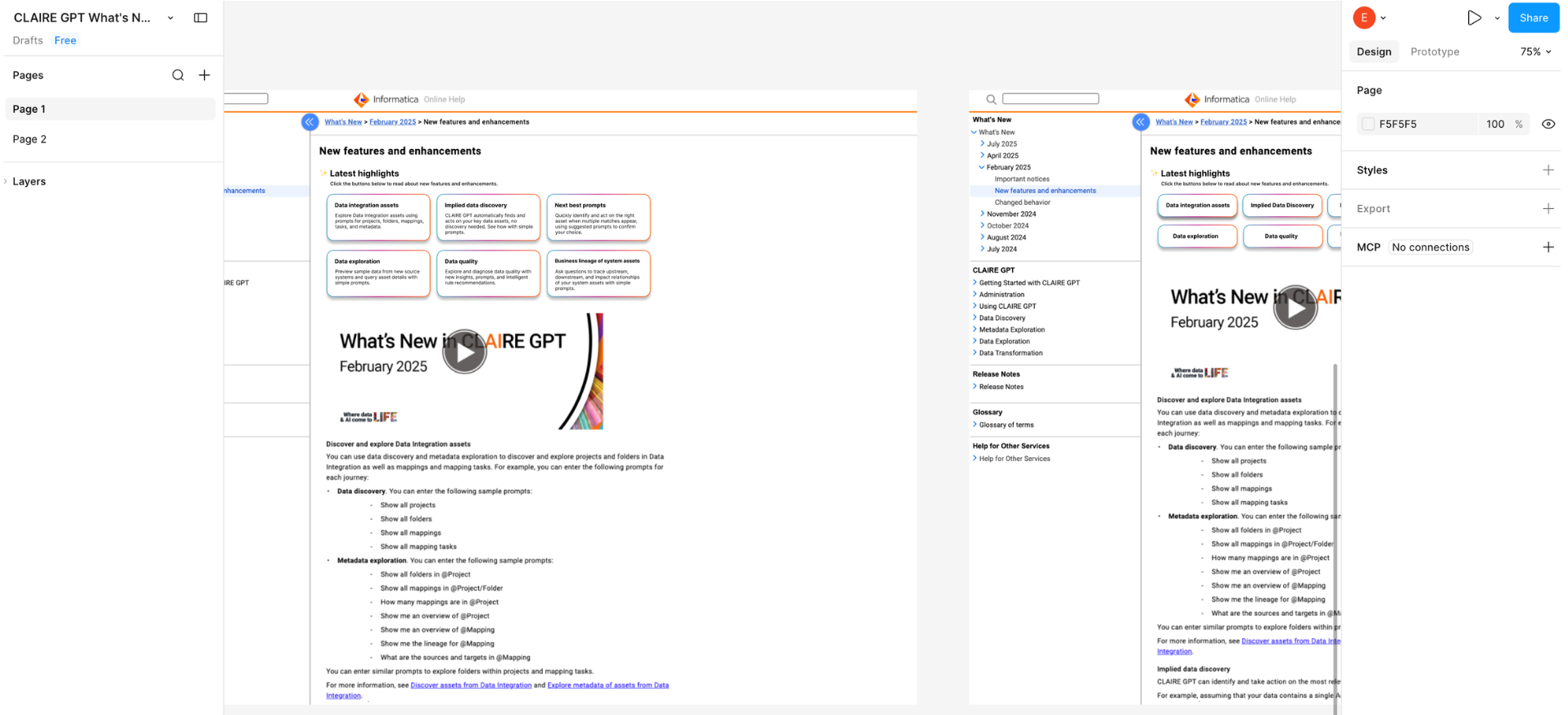
Informatica’s Online Help ecosystem requires users to quickly discover newly released features without friction. Previously, updates were published as unstructured, long-form articles that forced users to scroll endlessly through dense pages to find what was relevant to them.
I led the design, content strategy, and accessibility architecture for an interactive, button-driven wayfinding menu that functions as a streamlined table of contents. By replacing plain text links with an interactive page menu, I gave users clear visual cues for where each link leads while completely eliminating endless vertical scrolling. The final system maintains strict layout stability during global translation and ensures absolute compliance with assistive technologies.
Problem
Informatica’s Online Help system relied on long, text-heavy pages that were difficult to navigate. By auditing the existing UI and content structure, I identified four primary friction points:
Cognitive overload & poor visual hierarchy: Lengthy pages and dense, five-line explanatory paragraphs lacked visual hierarchy, causing natural F-pattern scanning behaviors to fail. The massive blocks of static text dwarfed the actual buttons, forcing users to read rather than scan.
Ambiguous click targets: The previous UI separated the button titles from their descriptive text, violating the Law of Proximity. This created a disjointed experience where users were unsure whether the interactive area was the box, the icon, or the detached text block.
Localization UI breakage: Inconsistent text lengths caused UI layout instability. When translated into languages with high text expansion, text would frequently overflow containers or break the responsive grid.
Accessibility gaps: The disjointed navigation structure lacked semantic clarity. Detached text and traditional links did not provide adequate, unified context for screen readers navigating via the Tab key.
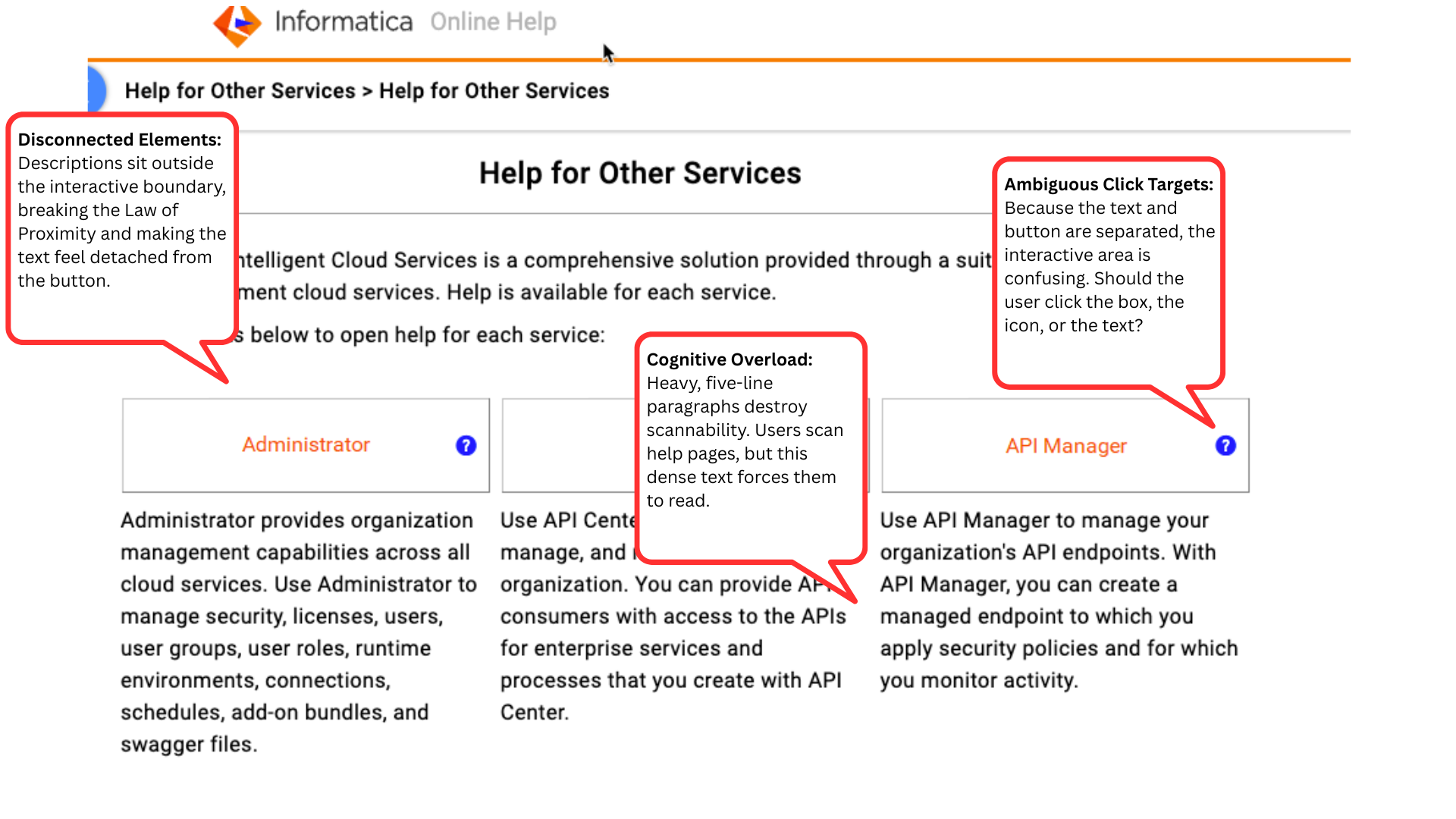
Previous wayfinding menu
Goals
To optimize the wayfinding menu prior to deployment, I established three goals:
Deploy an in-page wayfinding menu: Design and build a responsive, button-driven control layout that allows users to instantly toggle content states without forcing a full page reload or page jump.
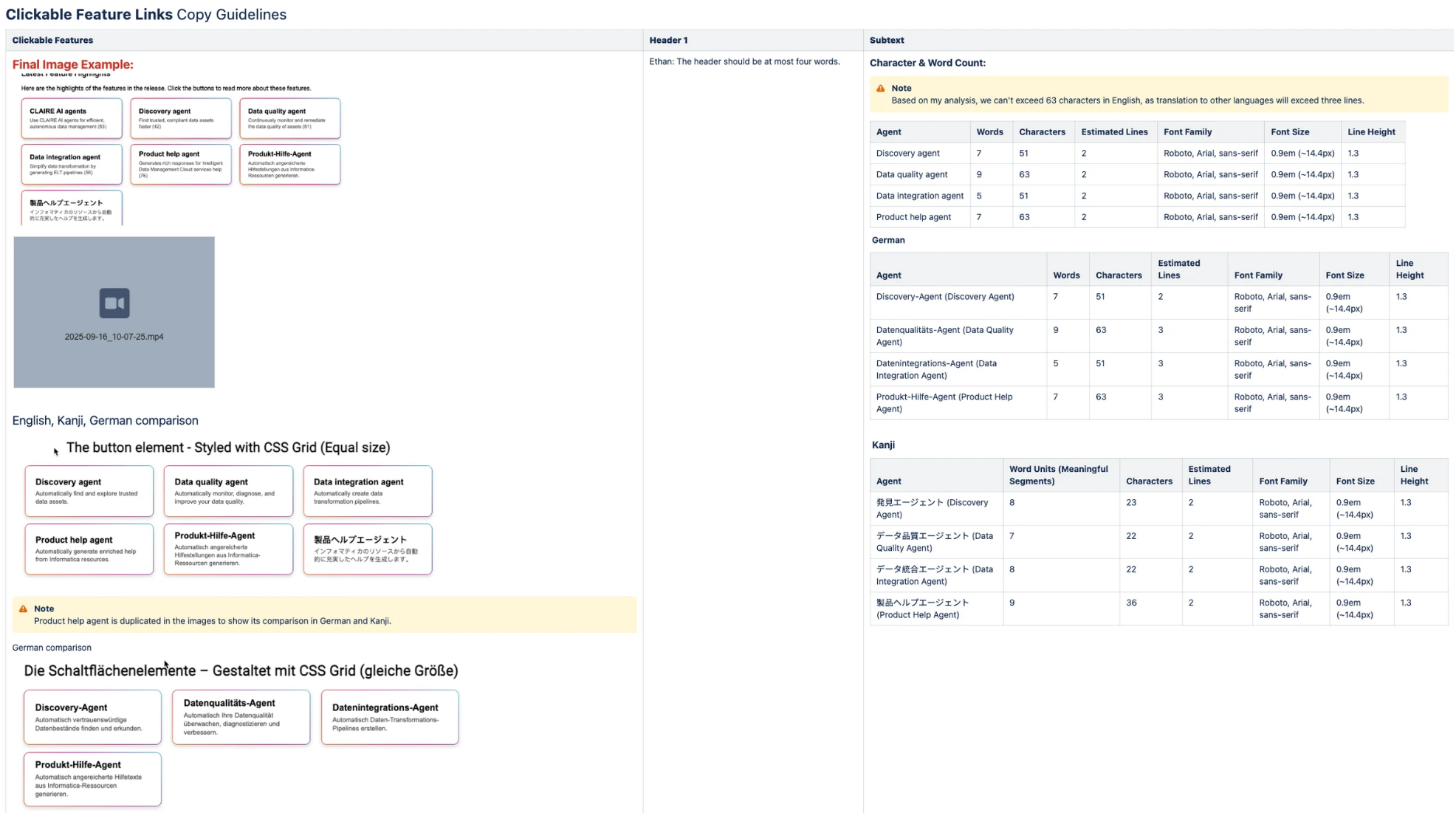
Enforce string length constraints: Establish strict character-count limits for button states to naturally accommodate multilingual translation without triggering layout shifts.
Verify inclusive semantic architecture: Achieve absolute compliance with WCAG 2.2 AA standards across screen readers and keyboard-only navigation.
Solution
I translated technical requirements into a clear and repeatable content structure, ensuring that text functioned as a predictable layout asset.
Character count limits: I established strict character-count limits for the interactive buttons to account for how different languages expand in size. This structural constraint guaranteed that localized text nested uniformly within UI paddings, preventing layout breaks across all viewports.
Semantic context layers: I defined explicit, invisible context layers into the system by authoring dynamic aria-controls and aria-label strings. This provided screen-reader users with precise destination clarity as they tabbed through the menu options.
Authoring templates: To ensure long-term system adoption, the team and I built standardized templates directly into our authoring environment. This automated length validation for technical writers, making it effortless to recreate and scale the button navigation components.
Feedback & Iteration
Through collaborative testing with Content Experience (CX), Accessibility, and Localization, I refined the system for real-world use:
Interactive button design: I shifted the navigation model from passive text links to an active button array. I anchored each menu option with a concise title paired with a benefit-driven microcopy string, which accelerates visual parsing.
Multilingual layout testing: I tested the design and menu layout against the longest predicted foreign language translations. By enforcing strict formatting rules and testing localized text blocks, I ensured the buttons stayed neatly aligned regardless of how much longer words became in other languages.
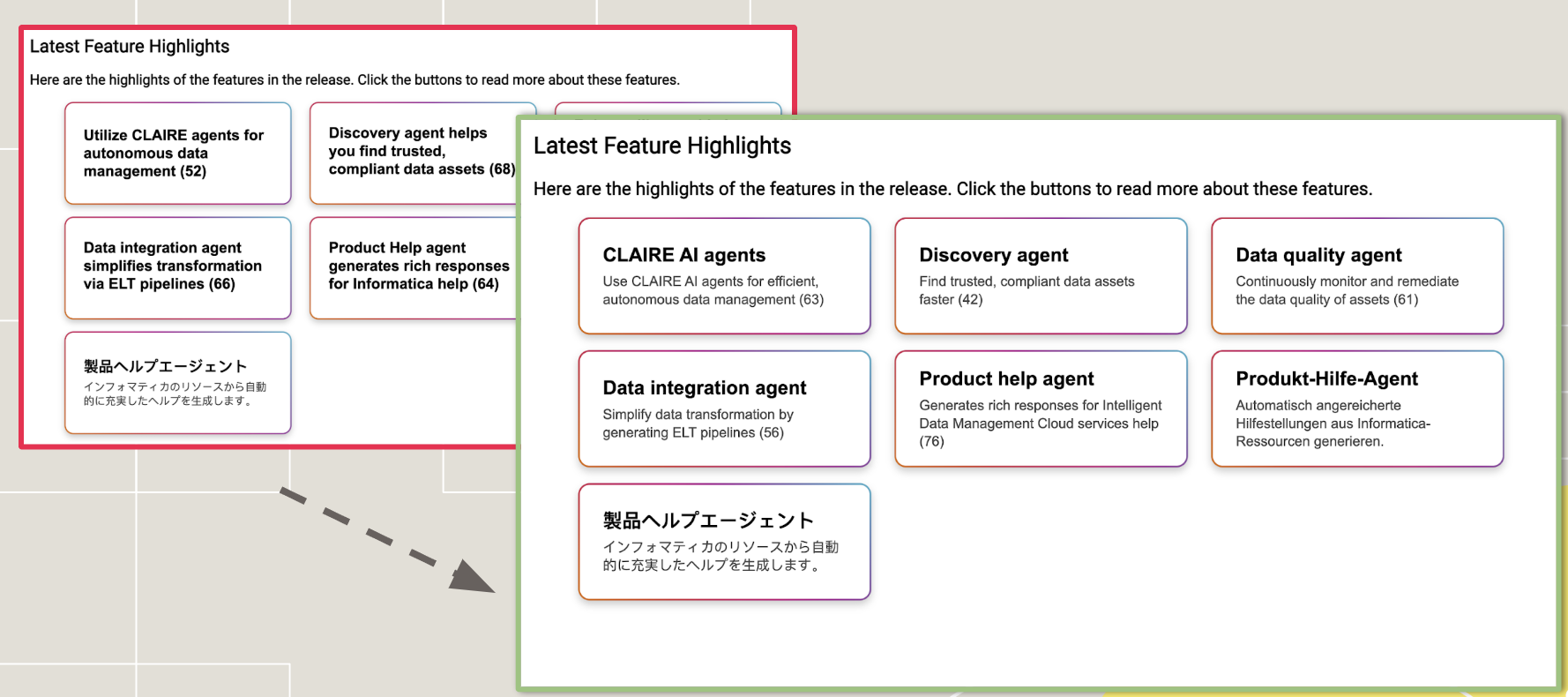
An example of how the button menus look across different layouts and languages.
Outcome & Next Steps
To ensure the new wayfinding menu scaled across Informatica’s documentation, I drove three long-term governance initiatives:
UX writing style guide deployment: I established clear guardrails for component copy length, tone of voice, and accessibility patterns for future “What’s New” releases.
Enterprise enablement: Formulated step-by-step XML workflow templates and launched an internal training series at the Documentation All-Hands meeting to accelerate content adoption.
Validation framework: Worked with Product Management to track qualitative feedback within the help platform. The PM’s customer interviews match our design hypotheses, signaling a noticeable decrease in user time-on-task and a marked improvement in self-service navigation efficiency.